The light comes on. The clock starts. The bill adds itself up.

Frame runs pool and snooker halls. Every table bills by the minute, its light follows its clock, and players keep score and order from a tablet at the table. When the internet drops, the hall keeps trading.

Table 4 is started at the counter, in real time. Golden Rack is a sample hall.

An animated view of the counter with five pool tables seen from above. Table 4 is started: its light comes on, its clock starts counting, and its bill appears and grows when an order arrives from the table's tablet. When the game ends the light goes off and the bill waits to be paid.

Four screens, one hall.

The counter runs the floor, every table has its own tablet, you follow the numbers from anywhere, and your hall gets a website of its own.
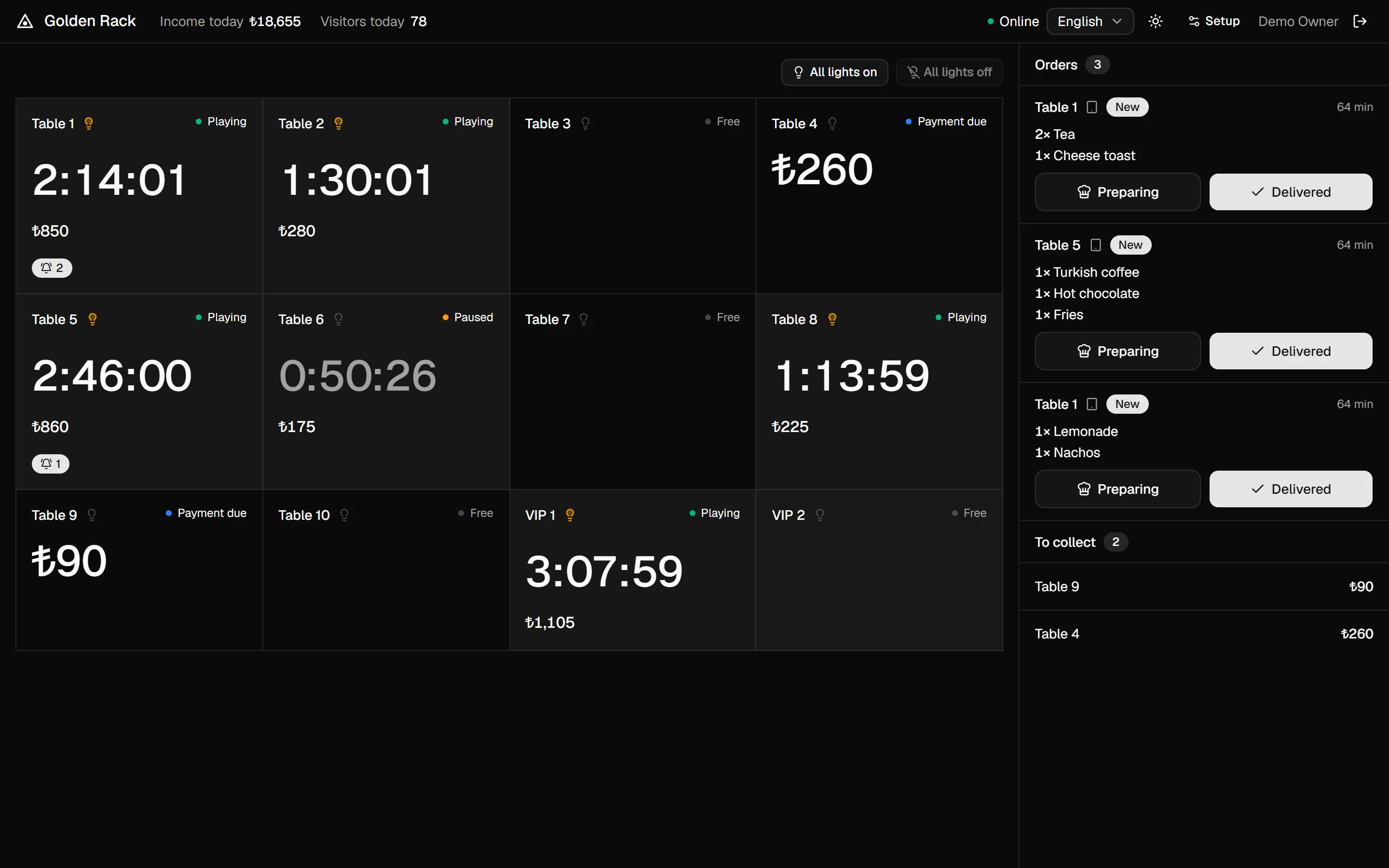
The counter at Golden Rack: twelve table cards with running clocks and bills, lit lamp icons on the tables in play, and a column of orders from the tablets.
  1. Every light, one tapSwitch all the table lights on for cleaning, or off at closing time.
  2. Orders from the tablesTablet orders land here. Mark them preparing, then delivered.
  3. A clock and a bill per tableStart, pause or end a game. Timed games count down to the end.

The counter at Golden Rack on a weeknight, with twelve tables, their clocks and bills, and orders coming in from the tablets.

The tablet on Table 1: time played, the amount to pay, and a race to five at 8-ball with Emre on 4 and Yusuf on 2.
  1. Time and bill on showPlayers always know how long they've played and what they owe.
  2. Score from a phonePlayers can open the scoreboard on their own phones, on the hall's Wi-Fi.
  3. Tap to scoreOne tap per rack. 8-ball, 9-ball, 10-ball or snooker.

The tablet on Table 1, where Emre leads Yusuf 4–2 in a race to five. Ordering and the running tab are one tap away.

The owner's dashboard for Golden Rack over 30 days: income of ₺658,700, 2,240 visitors, 4,448 items sold, six tables playing now, sales by day and a heatmap of busy hours.
  1. The month at a glanceIncome, visitors and items sold, against the 30 days before.
  2. Sales by dayTable time, food and drinks, for every trading day.
  3. Busy hoursSee which hours fill up, so you can staff for them.

The owner's dashboard for Golden Rack over 30 days. Owners with several halls see every hall from the same place.

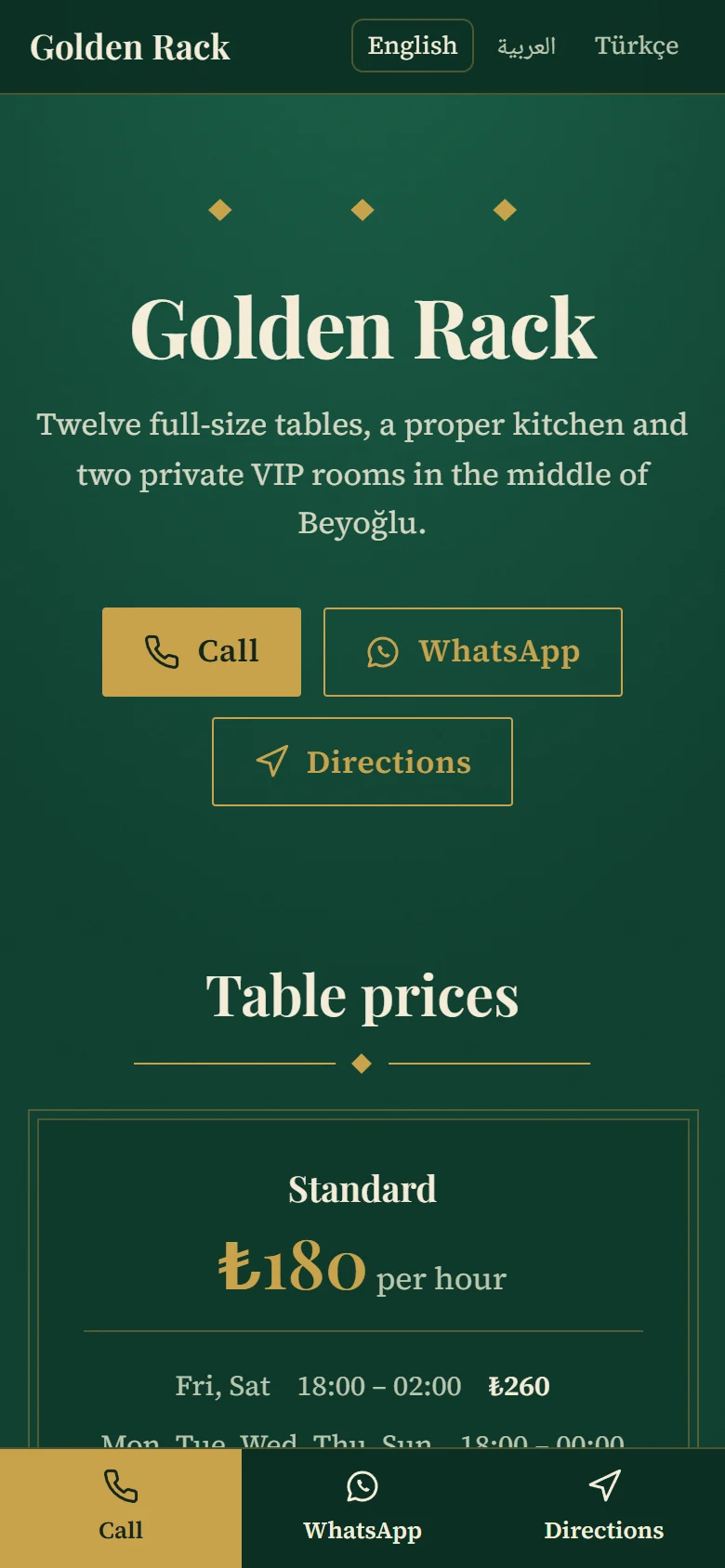
Golden Rack's public website in the Baize theme: the hall's name in a large serif, a short description, Call, WhatsApp and Directions buttons, and table prices.
The same website on a phone.
  1. Every language you offerVisitors switch between Arabic, English and Turkish.
  2. Call, WhatsApp, directionsOne tap to ring the hall, message it or find it on the map.
  3. Prices from your dashboardChange a price once and the website follows.

Golden Rack's own website in the Baize theme, on a laptop and on a phone. It can live on a free address or the hall's own domain.

From the table to your phone.

Frame covers the whole night: what players do at the table, what staff do at the counter, and what you see from home the next morning.

At the table

Lights that follow the clock
The light comes on when a game starts and goes off when it ends, so no table stays lit for free. Staff can still switch one by hand.
Scores on a tablet
8-ball, 9-ball, 10-ball or snooker. Players can keep score from their own phones too.
Orders from the table
A menu with pictures that sends orders straight to the counter, and a tab that adds up as they play.
PS5 corners too
A station with no games still gets its own clock, bill and ordering.

At the counter

Tables on the clock
Start a table and it bills by the minute, with day, evening and weekend prices, a minimum and your rounding. A price change never touches a game already running.
Payments and receipts
Cash, card or your own methods. Receipts print on 80 mm or 58 mm rolls in Arabic, English or Turkish.
Stock and expenses
Counts drop as items sell, with a warning before the cola runs out. Expenses are recorded right at the counter.
No internet, no problem
The counter, tablets and lights run on your own network. See how it works

From anywhere

The numbers
Income, visitors, busy hours, best sellers and table time, for one hall or all of them.
Money
What each payment method holds after expenses, for every hall you own.
A website for your hall
Prices, menu, opening hours and a map, on a free address or your own domain.
Three languages
Arabic, English and Turkish on every screen, right to left where it should be.

Pull the plug.

Frame runs your hall from a small program on the counter PC, called the hub. The counter, the tablets and the lights all talk to it over your own network, so a dead router doesn't stop a single game.

Switch it off and watch the floor.

OnlineEvery sale goes up to the cloud as it happens.

The hall keeps trading. Sales upload when the internet is back. No ports to open on your router: the hub only ever connects outward.

How a hall stays connected The Frame cloud connects to the hub on the counter PC. The hub connects over the hall's own network to the counter, the table tablets and the table lights, which keep working when the internet is off. Frame cloud Dashboard and website No internet Hub on the counter PC 0 Counter 4 2 Tablets Lights Counter, tablets and lights, all on the hall's own network

Five numbers worth knowing.

Small details that decide whether a night's takings add up.

  • 1min

    Tables bill by the minute. You choose the steps and the rounding.

  • 0

    Ports to open on your router. The hub only ever connects outward.

  • 3

    Languages built in: Arabic, English and Turkish. More can be added.

  • 05:00

    When the trading day ends, so a 1 a.m. sale counts for the night it belongs to.

  • 8

    Table lights on one Frame relay board. Shelly and Tasmota relays work too.

A sample monthGolden Rack, our demo hall in Beyoğlu, over the last 30 days.

Income
₺658,700+14%
Visitors
2,240+12%
Items sold
4,448+13%
Average game
81 min

Arabic, English and Turkish.

Every screen, receipt and hall website. Each hall chooses the languages it offers, and in Arabic the whole layout reads right to left.

The counter in English.
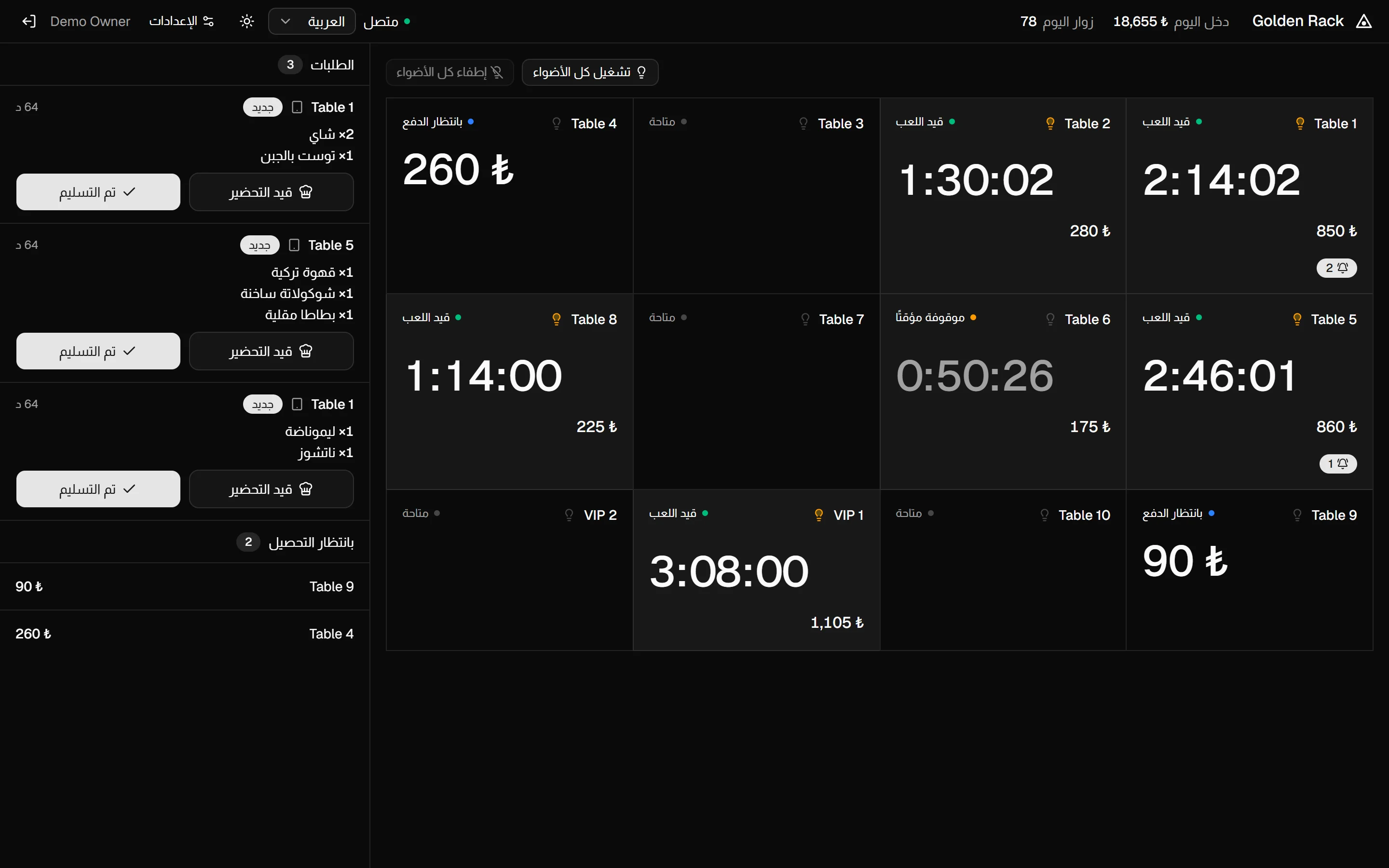
The counter in English.The counter in Arabic, with the table cards and the orders column laid out right to left.The counter in Turkish.

Book a demo.

We'll show you Frame running with your own tables and prices, on a call or at your hall, in the language you prefer.

  1. We get in touch by phone or WhatsApp to pick a time that suits you.
  2. We show you the counter, a tablet and the dashboard, set up with your tables and prices.
  3. If it suits your hall, we set everything up and help you install the hub on your counter PC.

Tell us about your hall

Demo in

We only use these details to arrange your demo.